


Monkey Wrench – Word Search
4.71.60K Reviews
App Specs
- Version
- Varies with Device
- Updated On
- License
- Free
- Downloads
- 100,000+
- Developer
- Blue Ox Family Games, Inc.
- Categories
- Word
- Platform
- Android
Screenshots
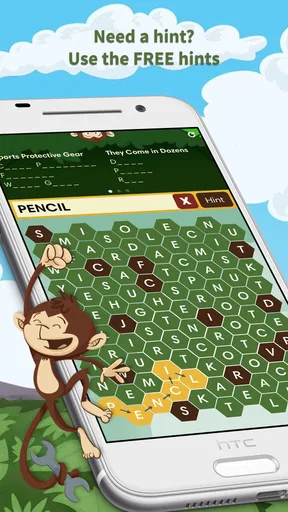
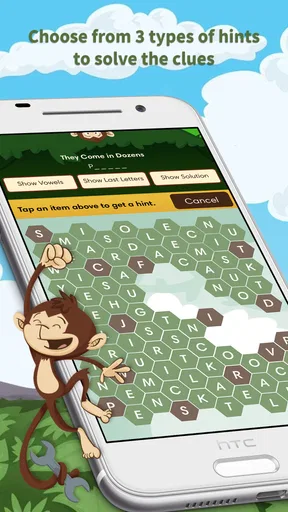
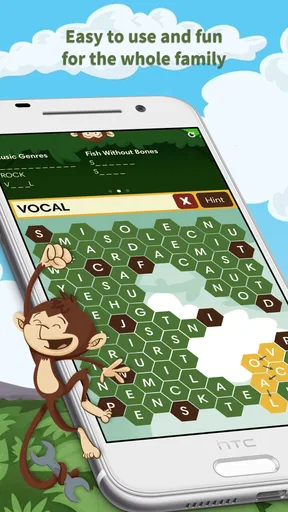
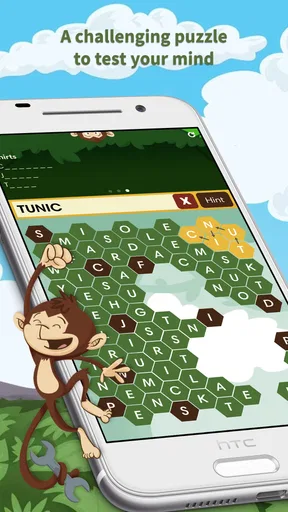
 Analysis by AppCompare
I approached Monkey Wrench as a quick word-search game rather than something designed to occupy an entire evening. That distinction matters. Its appeal is immediate: open it, scan a letter grid, trace a word, and move on. The presentation is friendly enough for family play, while the basic rules are familiar even to people who rarely play mobile games. After spending time with it, I found the strongest reason to keep it installed is its low commitment. It gives you a simple mental break without asking you to learn a complicated system first.
Developed by Blue Ox Family Games, Inc., this free word game is aimed at Everyone and has built a 4.7 average from around 5K ratings, with more than 100K installs. Those figures fit my impression of the experience: it is approachable, broadly suitable, and easy to recommend when someone wants a casual puzzle instead of a competitive challenge. There are optional in-app purchases ranging from $0.99 to $9.99 per item, so I would still suggest checking the purchase controls before handing the device to a child.
How I Use Monkey Wrench for Short, Repeatable Sessions
I use short sessions to keep the search enjoyable rather than letting one stubborn grid turn into a chore. In this section, I’ll focus on how a small routine—choosing a target word, narrowing the scan, and pausing when my eyes tire—makes the game easier to fit into an ordinary day. That approach also sets up a closer look at the habits that help me search more deliberately.
The baseline workflow is deliberately simple
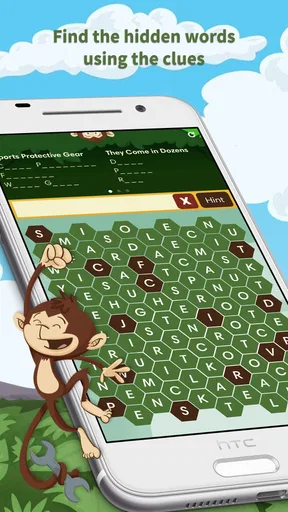
A typical session starts with the same dependable routine. I read the word list first, then scan the grid for unusual letters, repeated combinations, and likely starting points. Once I spot a candidate, I drag across it and immediately return to the remaining list. That rhythm keeps the game moving and prevents me from repeatedly searching for words I have already found.
The game works especially well in the small gaps of an ordinary day. I can play while waiting for an appointment, during a short break, or beside a family member who wants something light to do together. It does not require the long concentration of a crossword or the vocabulary commitment of a serious word-building game. The task is visual recognition, which makes it accessible when I am tired but still want something more active than passive scrolling.
For a family setting, the simple format is useful because players can share the same screen and talk through possibilities. A younger player may notice a word hidden diagonally, while an adult may be quicker at reading the list. That makes cooperation feel natural without requiring separate accounts, elaborate rules, or a large time investment. I would not describe every puzzle as equally exciting, but the basic interaction is clear enough that people can start playing almost immediately.
One practical habit improved my sessions more than I expected: I stopped trying to inspect every row from left to right. Instead, I choose one word from the list and search for its rarest letter. If the word contains a less common character or an unusual pair, that gives me a smaller number of places to inspect. This is not a special feature; it is simply a better way to use the information already on screen.
Worth Reading Before You Choose

EA SPORTS FC Mobile 26 Is a Bigger Football Game, but It Takes Time

Flipboard Shows What News Apps Must Do Beyond the Feed

Switching to Android Auto Means Rethinking Your Driving Routine

Google Calendar Makes a Crowded Week Easier to Manage

Ludo King Makes the Most of the Minutes Between Plans

Baby Panda World Brings Quick Play to Modern Phones, but Its Game Library Feels Busy
What the game feels like in everyday use
Imagine sharing a tablet after dinner with a child who wants a game but is not ready for a complicated adventure. I would open the puzzle, let the child choose the first word, and use the grid as a joint observation exercise. Rather than taking over, I would ask where that word could begin and let the child trace it. The game supports that kind of informal participation because the objective is visible and understandable from the start.
It also suits solo play when I want a short reset. I do not need to remember a story, manage equipment, or build a strategy across multiple systems. The reward is the satisfaction of clearing another word from the list. That simplicity is a strength for casual players, although people who need constant novelty may eventually find the routine too narrow.
The age rating of Everyone reinforces the family-friendly positioning, but adults should not mistake that for a deep educational tool. I can see it encouraging attention to spelling and visual scanning, yet it is still primarily a game. If your main goal is structured vocabulary study, a dedicated learning app will usually provide better explanations, progression, and feedback.
Settings worth checking before settling into a routine
I recommend spending a moment looking through the available settings before beginning regular play. In a word-search game, small presentation choices can affect comfort more than people expect. Check whether sound, music, notifications, or other optional elements can be adjusted, and set them to match the place where you usually play. A quiet setting is better for a waiting room, while a louder environment may make gentle feedback easier to notice.
I also make sure purchase protections are appropriate when children use the device. The game is free to start, but optional items cost between $0.99 and $9.99 each. That does not make the game unsuitable for families, but it does make basic device-level purchase awareness worthwhile. I prefer to decide in advance whether optional spending is part of the experience rather than making that choice during a difficult puzzle.
Another useful check is visual comfort. Word searches involve sustained scanning, so I avoid playing with glare on the screen and increase the device’s text or display comfort settings when necessary. The important point is that these adjustments belong to the phone or tablet as much as to the game itself. A comfortable screen makes the letter grid easier to read and reduces the temptation to rush.
I would not build a complicated configuration ritual around this title. Its value is that it gets out of the way. Experienced users can create a repeatable setup—quiet audio, comfortable brightness, purchase controls handled, and the device held at a readable angle—but there is no reason to turn a casual puzzle into a technical project.
Faster patterns that make the grid less tiring
My most reliable method is to divide the grid into manageable zones. I scan the upper area, then the middle, then the lower area, checking horizontal, vertical, and diagonal directions in a consistent order. This reduces the chance of skipping a region and is more efficient than moving randomly whenever a letter catches my eye.
When I am stuck, I look at the first and last letters of the remaining word rather than reading the entire grid again. I search for the first letter, then test the possible directions around it. If the final letter appears in the expected position, I can confirm the word quickly. This approach is particularly helpful when the grid contains many similar-looking sequences.
I also use word length as a visual filter. Short words can blend into the grid and may be worth checking early because they are easy to overlook, while longer words often reveal themselves through distinctive letter runs. I do not follow one fixed order every time; I choose based on what the grid is showing me. That flexibility keeps the search from becoming mechanical.
A small but important discipline is to release the trace only when I am confident about the whole word. Fast swipes feel efficient, but an uncertain gesture can waste more time than a careful scan. I found that pausing briefly at the starting letter and following the suspected direction produces fewer mistakes than dragging impulsively toward a promising fragment.
For shared play, I recommend assigning roles instead of having everyone shout guesses. One person reads the remaining list, another searches the upper half, and a third checks diagonals or the lower half. Rotating those roles keeps one player from doing all the work and turns a solitary puzzle into a cooperative activity without changing the game itself.
Where the familiar format has real limits
The same simplicity that makes Monkey Wrench approachable also limits its reach. If you are looking for a word game with an evolving story, competitive rankings, elaborate customization, or a deep long-term progression system, this is probably not the right choice. Its central activity remains finding hidden words. That focus is pleasant when you want clarity, but it may feel repetitive if you need several different types of challenge in one app.
It is also not the best alternative to a traditional crossword. Crosswords test clues, general knowledge, and the ability to infer an answer from intersecting letters. Here, the words are already presented and the challenge is locating them. I prefer this game when I want a visual search task with a low entry barrier; I choose a crossword when I want language reasoning and clue solving.
Compared with word-building games, the difference is just as clear. Games based on creating words from tiles usually reward vocabulary production, scoring combinations, and sometimes strategic placement. Monkey Wrench removes those decisions and concentrates on recognition. That makes it easier for mixed-age groups, but less satisfying for players who enjoy constructing unusual words or optimizing a score.
There is a similar trade-off against timed puzzle games. A timer can create urgency and encourage replay, while this style of word search is more comfortable at a relaxed pace. I see that as a benefit for families and casual players, but a drawback for anyone who wants pressure or measurable performance. Before installing it, ask yourself whether you want to unwind or compete; the answer will largely determine whether the format feels rewarding.
Advanced habits without pretending the game is more complex
Experienced use does not come from secret mechanics here. It comes from consistency. I keep the word list visible, avoid restarting my search from the same corner, and use the grid’s letter density to decide which word deserves attention. If a word has a distinctive opening pair, I search for that pair first. If several words begin similarly, I switch to their endings to separate them.
Another useful habit is to notice the direction of words already found. Once I discover several horizontal entries, I deliberately inspect vertical and diagonal lines for the next target. This prevents me from overcommitting to the easiest direction and helps expose words that do not stand out during a casual glance. It is a search strategy, not an additional game mode, but it makes the experience feel more controlled.
I also suggest stopping before frustration turns a short break into a chore. Because the game is easy to understand, it is tempting to keep searching a stubborn grid simply to finish it. Sometimes that persistence is satisfying; sometimes a brief pause is smarter. Looking away from the screen and returning later can make the remaining pattern easier to see, especially after prolonged scanning.
For parents, the best advanced use may be conversational rather than competitive. Ask a child to describe the direction of a word, count the letters, or explain why a sequence cannot be correct. That adds a little reasoning and communication to the activity without claiming that the game replaces formal instruction. It also keeps the adult from simply pointing out every answer.
Who should install it, and who should skip it
I would recommend it to families wanting a straightforward shared puzzle, adults who enjoy calm visual challenges, and casual players who prefer a free starting point. The Everyone rating and uncomplicated rules make it easy to introduce, while the established reception—an average of 4.7 from roughly 5K ratings—suggests that its basic appeal is clear to many players.
I would be more cautious if you need accessibility options tailored to a particular visual or motor requirement, because word searches depend heavily on reading small characters and tracing accurately. I would also steer competitive players toward a game with explicit timers, leaderboards, or richer scoring if those features are what keep them engaged. The absence of that pressure is a virtue for me, but not for everyone.
People seeking a serious language-learning curriculum should choose a specialized educational product instead. This game can support attention, spelling familiarity, and casual word recognition, but it does not turn each answer into a lesson. Likewise, if you dislike repeated visual scanning, the core activity will not become more varied simply because you play longer.
My final view after weighing the trade-offs
Monkey Wrench is at its best as a friendly, low-pressure word-search break. I like that I can understand the objective immediately, use it in short sessions, and share it with someone who may not play mobile games regularly. The free entry point lowers the risk of trying it, while the optional purchases are easy enough to treat as a choice rather than a requirement.
Its limits are equally clear. It does not replace a crossword, a word-building game, or a structured vocabulary course, and players who need constant variety may find the central loop too familiar. I would not install it expecting a large strategic system. I would install it because sometimes finding hidden words is exactly the amount of concentration I want.
Released on February 17, 2016, the game has remained recognizable for a reason: the format is easy to return to. My recommendation is strongest for households, relaxed solo play, and anyone who wants a simple puzzle that does not demand a long tutorial. Set up the screen comfortably, decide how you want to handle optional purchases, use a consistent search pattern, and let the game stay small. That modest scope is not a weakness when you are looking for a dependable few minutes of word-focused downtime.
Pros
- Simple controls make it easy to start searching immediately.
- Short puzzles are convenient for quick breaks or casual play.
- Word lists help reinforce spelling and vocabulary recognition.
- Clean visual presentation keeps the board easy to read.
- Suitable for players who prefer relaxed
- low-pressure gameplay.
Cons
- Repeated puzzle patterns may reduce the challenge over time.
- Small letters can be difficult to read on compact phone screens.
- Limited variety may not satisfy players seeking deeper progression.
- Finding words can become frustrating when they overlap heavily.
- Gameplay may feel slow for users who prefer fast-paced action.
FAQs for Monkey Wrench – Word Search
What is Monkey Wrench – Word Search?
Monkey Wrench – Word Search is a casual word puzzle game built around finding hidden words in letter grids. It is designed for players who enjoy relaxed vocabulary challenges, quick rounds, and visually simple gameplay. The monkey-themed presentation gives the experience a playful identity, while the core mechanics remain familiar enough for both beginners and experienced word-search fans.
How do you play Monkey Wrench – Word Search?
To play, you generally examine a grid filled with letters and connect or mark words hidden horizontally, vertically, diagonally, or in reverse directions, depending on the puzzle rules. Each level provides a word list or objective to complete. Careful scanning is important, but the game is approachable because you can progress at your own pace rather than relying on fast reflexes.
Is Monkey Wrench – Word Search suitable for children and beginners?
The game is generally suitable for casual players, children, and anyone new to word-search puzzles because the controls and objective are straightforward. However, parents should still check the current age rating, advertising details, and privacy information on the relevant app store before installation. Difficulty may increase over time, so younger players might occasionally need help with longer or less familiar words.
Does Monkey Wrench – Word Search require an internet connection?
Whether an internet connection is required can depend on the version and the features being accessed. Basic puzzles may work offline after installation, but advertisements, analytics, updates, cloud features, or other online services may need connectivity. Before traveling or playing without data, it is best to test the app in airplane mode and review the store listing for the developer’s latest requirements.
Is Monkey Wrench – Word Search free to download?
Monkey Wrench – Word Search may be available as a free download, but free access does not always mean that every feature is completely unrestricted. Some editions can include advertising, optional purchases, extra puzzle packs, or other monetized elements. Check the Android or iOS store page for the current pricing, in-app purchase information, supported devices, and any limitations before downloading.


